Customer APIs
Connect internal services through authenticated HTTP calls or import a supported OpenAPI specification. Select the operations that become agent tools and assign the credentials needed to use them.
Integrations & APIs
Connect persistent responsibilities to your business applications, internal APIs, and MCP tools. Agents can prepare briefs, maintain working data, and propose supported updates. Your team builds the connections and review experience around the useful result.
Internal APIs and MCP tools
Custom capabilities and skills
DT APIs for your applications
Technical demonstration
Choose the operations and review policies, assign agent access, and inspect an actual API read.
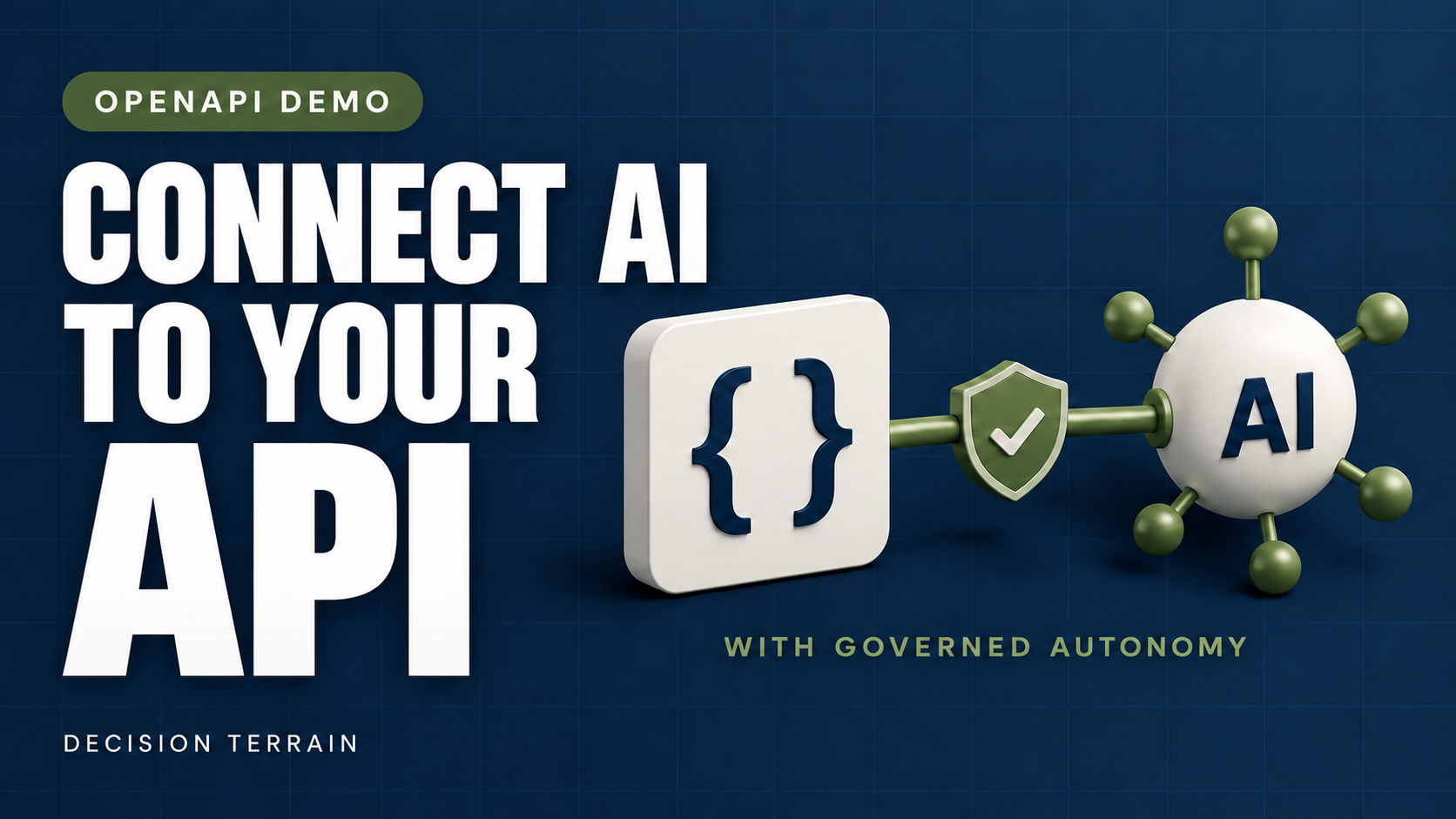
Watch on YouTube Discuss integration setup
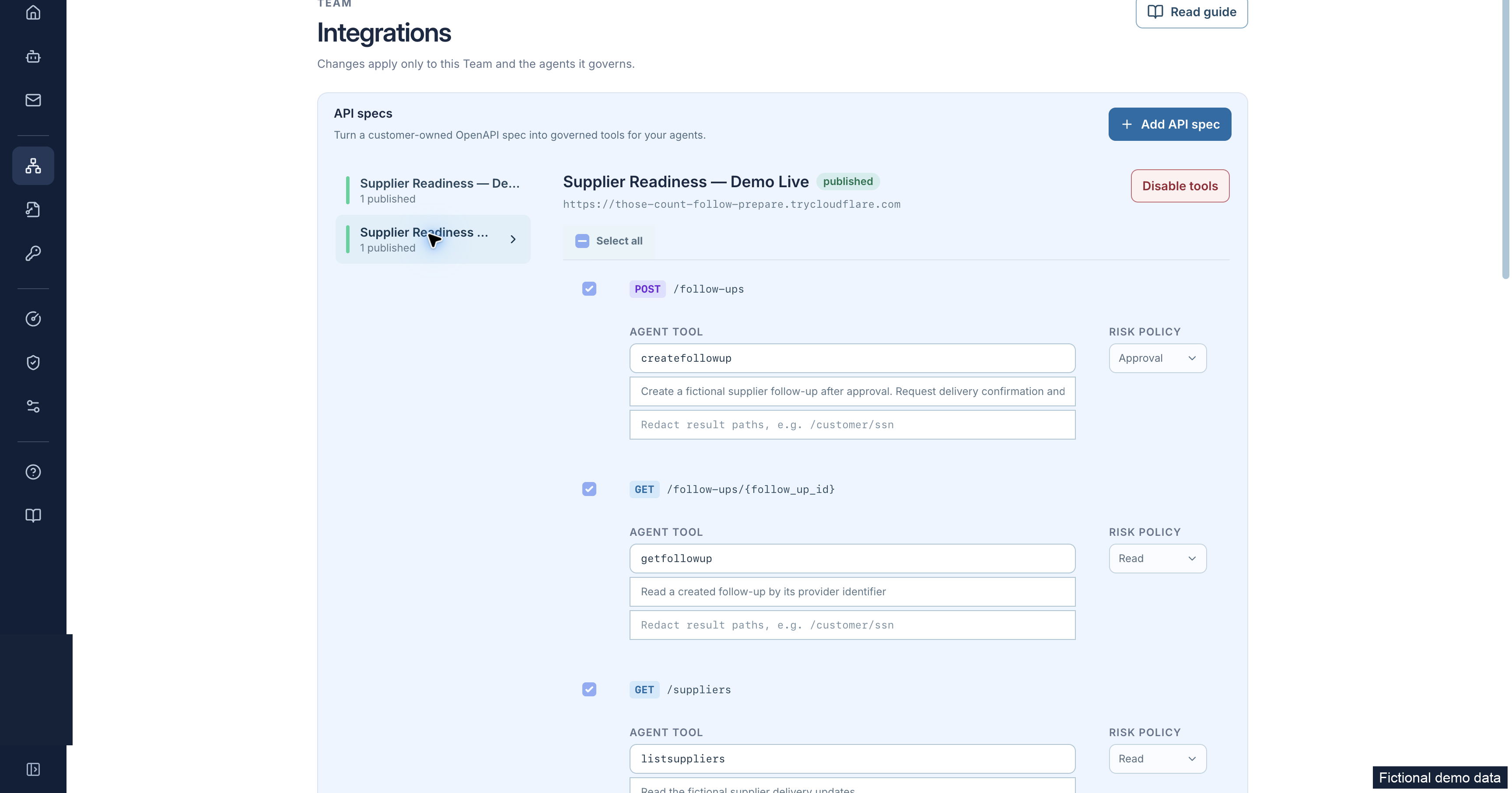
The technical demonstration introduces a useful supplier-data read, then shows OpenAPI setup, operation selection, read and approval-required policies, catalog publication, and agent access. The agent reads fictional supplier records and summarizes the delivery delays. The API response provides the records behind the answer. The configured approval policy is distinct from executing an approved write. This public no-auth test service does not demonstrate authenticated or private-network connectivity.
The closing card refers to security rules and SIEM. Those paths depend on deployment configuration, supported checks, enabled capture, selected event families, and destination activation. This footage does not demonstrate SIEM delivery. Compare security-rule coverage and SIEM forwarding and verification.
01 / Connect your tools
Choose the connection that fits the system and the responsibility. Access follows the assigned credentials, available operations, and deployment’s network rules.
Connect internal services through authenticated HTTP calls or import a supported OpenAPI specification. Select the operations that become agent tools and assign the credentials needed to use them.
Connect external Model Context Protocol servers that expose tools and data. Administrators can manage shared connections and assign access to agents. Configured self-hosted deployments can also use local-command servers.
Read and update supported Google Sheets ranges, select permitted Sheets or Docs through Google Drive, and use supported Gmail or Outlook email connections. Provider scopes, account permissions, and agent assignment determine the available actions. Covered email review is separate from OpenAPI approval.
Use supplied documents and persistent working data to prepare briefs, charts, CSV exports, or PDFs. Package reusable guidance as skills. Where sandbox compute is enabled, add code-backed tools within the configured execution and network boundaries.
Explore ongoing work and outputs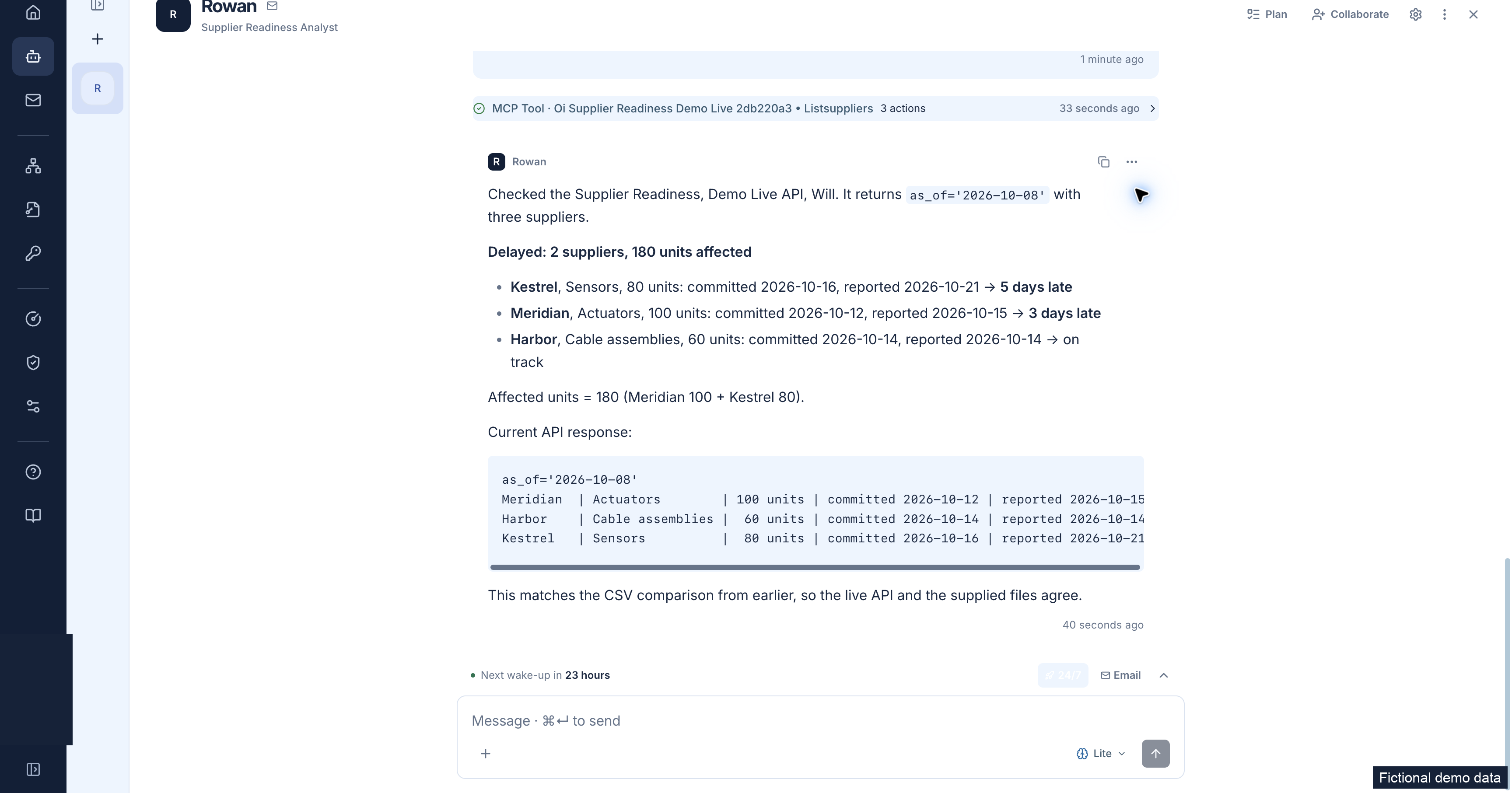
02 / Govern API access
Supported OpenAPI imports become a curated set of operations. Your administrators decide what to expose and which calls need a human decision.
Import a bundled OpenAPI 3 JSON or YAML specification and confirm a validated HTTPS base URL. Review the supported subset, exclude unneeded operations, and classify exposed calls as reads, autonomous writes, or approval-required. Unsupported multipart, binary, and callback operations cannot be assumed available.
Bind an agent to an explicit credential and configure approvers for protected operations. Supported response fields can be redacted before they reach the agent.
Publish the selected catalog after reviewing the draft. For approval-required calls, an eligible configured approver examines the exact operation, arguments, and context. Changes to arguments, credentials, configuration, approver authority, or expiry can invalidate approval. Check the recorded outcome and receiving system before retrying an uncertain write.
Exact-call review applies to configured governed OpenAPI operations. It does not automatically cover native Sheets writes, external MCP tools, or browser actions. Credentials and destination grants retain their boundaries, and Organization security policy can still deny a covered action after approval. Review operation classes and recorded outcomes and coverage.
03 / Build with the platform
An internal portal, existing service, or another AI client can work with DT’s persistent agents. Your application can initiate work, follow its progress, and use the results.
Scroll the table horizontally to compare interfaces.
| Interface | Use it for | Boundary to keep visible |
|---|---|---|
| Persistent Agent REST API | Create, configure, and message agents; manage contacts, peer links, and supported lifecycle actions. | REST does not provide general file management. Documented file reads and uploads use platform Remote MCP. When an Organization key creates an agent, the agent starts in the key creator’s Organization-private workspace. Team placement uses supported MCP or Console flows. |
| Platform Remote MCP | Let external AI clients discover, configure, message, and inspect accessible agents; read file resources and upload supported files. Supported tools also handle workspace and integration setup. | External MCP servers supply tools to DT; DT’s own endpoint exposes the platform to clients. Both directions have access limits. Readiness checks inspect stored configuration, not worker execution or network reachability. Protected setup changes use browser review where required. |
| Timeline and pending actions | Follow activity with durable cursors and bounded waits. Present supported human-input, secret, contact, spawn, Outbox, and OpenAPI requests in your own review interface. | Decisions retain their action scope and version checks. A pending request or accepted message does not establish completion. |
| Inbound triggers | Start configured agent work from supported app events or an inbound webhook. | Webhook 202 acknowledges stored ingress. Holds can prevent processing or queueing; acceptance does not release a hold or prove a worker ran. |
| Signed outbound events | Receive supported agent event notifications and reconcile current state through the platform interfaces. | Verify signatures and handle retries. Idempotency is endpoint-specific; a notification does not establish downstream business completion. |
| Browser-task API | Submit standalone asynchronous browser jobs; follow status and retrieve results through callbacks, polling, or bounded waits. Supported output schemas can structure extraction. | A separate lower-level interface with its own controls, not the governed OpenAPI approval path or the whole persistent-agent workflow. |
Key scope. Personal and Organization keys use read, operate, or manage profiles. Each profile builds on the previous one, within the acting person’s permissions. Every current Organization profile grants Organization-wide agent access. Creating an Organization key requires permission to manage both API keys and Organization agents.
Authority at request admission. REST and Remote MCP recheck the active Organization membership and current agent-management permissions of the person who created the key, along with every scope saved on it. A blocked key can regain access when that person’s permissions are restored, unless the key was revoked. Blocking or revoking a key does not recall work already accepted.
Deployment requirement. Update authentication and key-writing components together, then drain older web processes before relying on these checks.
Configure before running. Create an inactive agent when setup must precede execution. Active creation requests initial processing and normally creates a separate first-check-in timer even with a null primary schedule. Establish tools, credentials, review, and schedules before deliberately activating the responsibility.
Security tooling uses separate SIEM forwarding and scoped response interfaces, with independent prerequisites and human recovery.
04 / An example integration
A program portal could prepare a recurring status brief and propose a specific tracker update through a governed API. This illustrative implementation pattern still needs workflow qualification; it is not a demonstrated successful write or a prebuilt portal.
Configure the agent inactive first, then activate it deliberately. The portal sends an assignment; the agent reads authorized status records and supplied files, compares earlier work, and prepares a brief and proposed update.
An approval-required OpenAPI operation holds the proposed call for an eligible configured approver. The portal presents the exact operation, arguments, and context. Approval is specific to that unchanged request; policy and credentials still apply.
After dispatch, inspect the recorded outcome and independently read the target record. Reconcile uncertain results before any new write. Retrieve the brief through supported Remote MCP file access and inspect the retained audit chain. Keep working context for the next scheduled cycle.
The current audit example demonstrates a denied email attempt. It does not complete this approved-write pattern. Its matching Splunk record is a separately scoped local forwarding example.
05 / Your implementation path
Your team can develop integrations using platform documentation and the interfaces above. DT can provide additional expertise for the parts you want help with.
Use the platform’s API, MCP, administration, and deployment documentation to plan connections, establish access, and build a solution your team can operate. Bring one workflow, its supported interfaces, and acceptance criteria to an implementation discussion.
Discuss integration setupAdd DT engineers for integration, deployment, and testing alongside your team.
Engineering helpEvaluate DT as the governed agent layer in an existing product or customer solution. Start with one workflow, its systems, controls, deployment, and success criteria.
Explore OEM partnershipsNext steps
Explore the platform around your systems and workflows. Your team can lead implementation, with DT engineering and support available when you need it.