Audit & Evidence

Investigate AI agent audit trails.

Follow recorded requests, actions, and outcomes. Review the authority recorded for an action, see where evidence is missing, and export the records your Organization permits.

Recorded authority and outcomes

Explicit capture and coverage limits

Evidence access under Organization policy

Availability. Agent Audit View is available to authorized audit roles in Organizations where the feature is enabled. Your deployment must support the actions, links, explanations, and export types you want to review. Enabling capture does not recreate earlier request text or guarantee complete history. Permissions and retention determine which records remain available.

01 / Investigation

Start with one action.

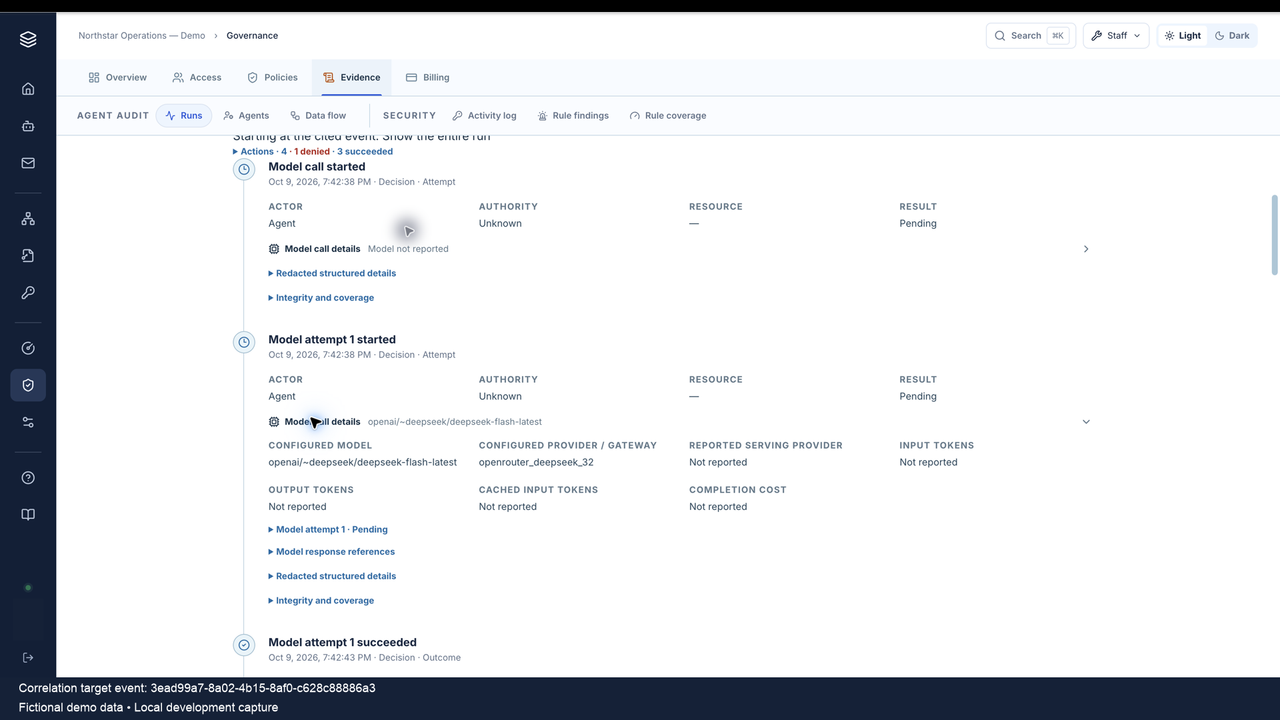
Find the agent and run. Check how it started, who initiated it, the time, status, and recording coverage. Then read the attempted action, recorded authority, policy decision, and outcome together. An authority label describes the record; it does not by itself prove an external action was authorized.

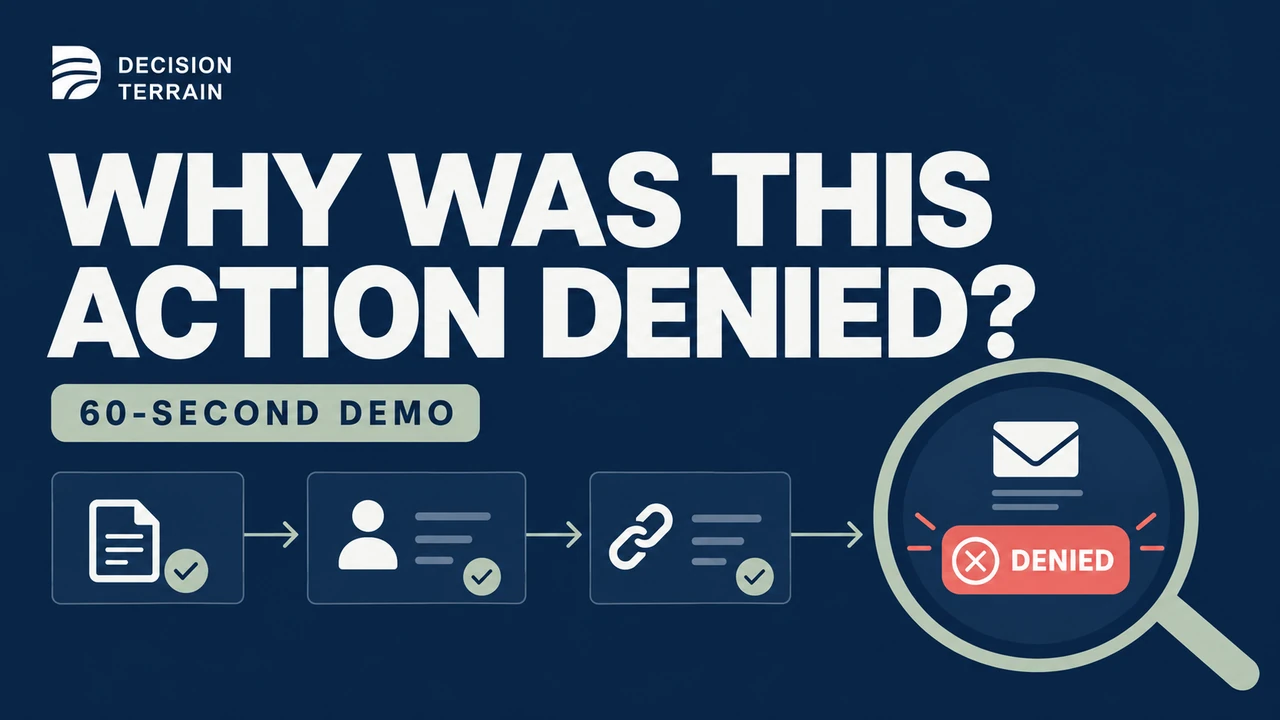
Decision Terrain thumbnail: Why was this action denied? A 60-second audit investigation demo.
A 60-second local demo with fictional business data. Follow the recorded evidence while keeping the request-content and coverage gaps visible.

Playing this video loads content from YouTube.

Watch on YouTube See the same denied event in Splunk

Read the video description

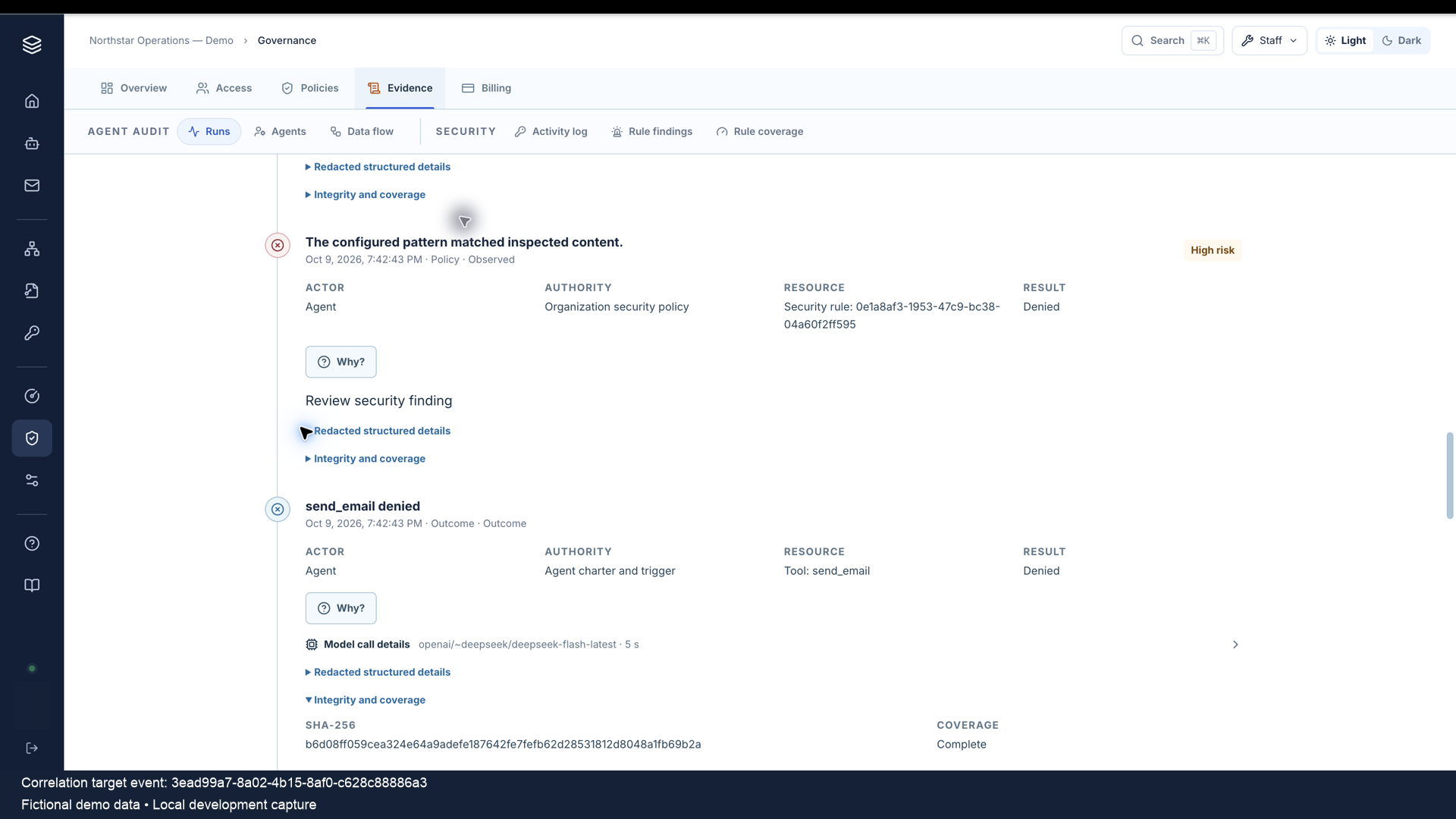
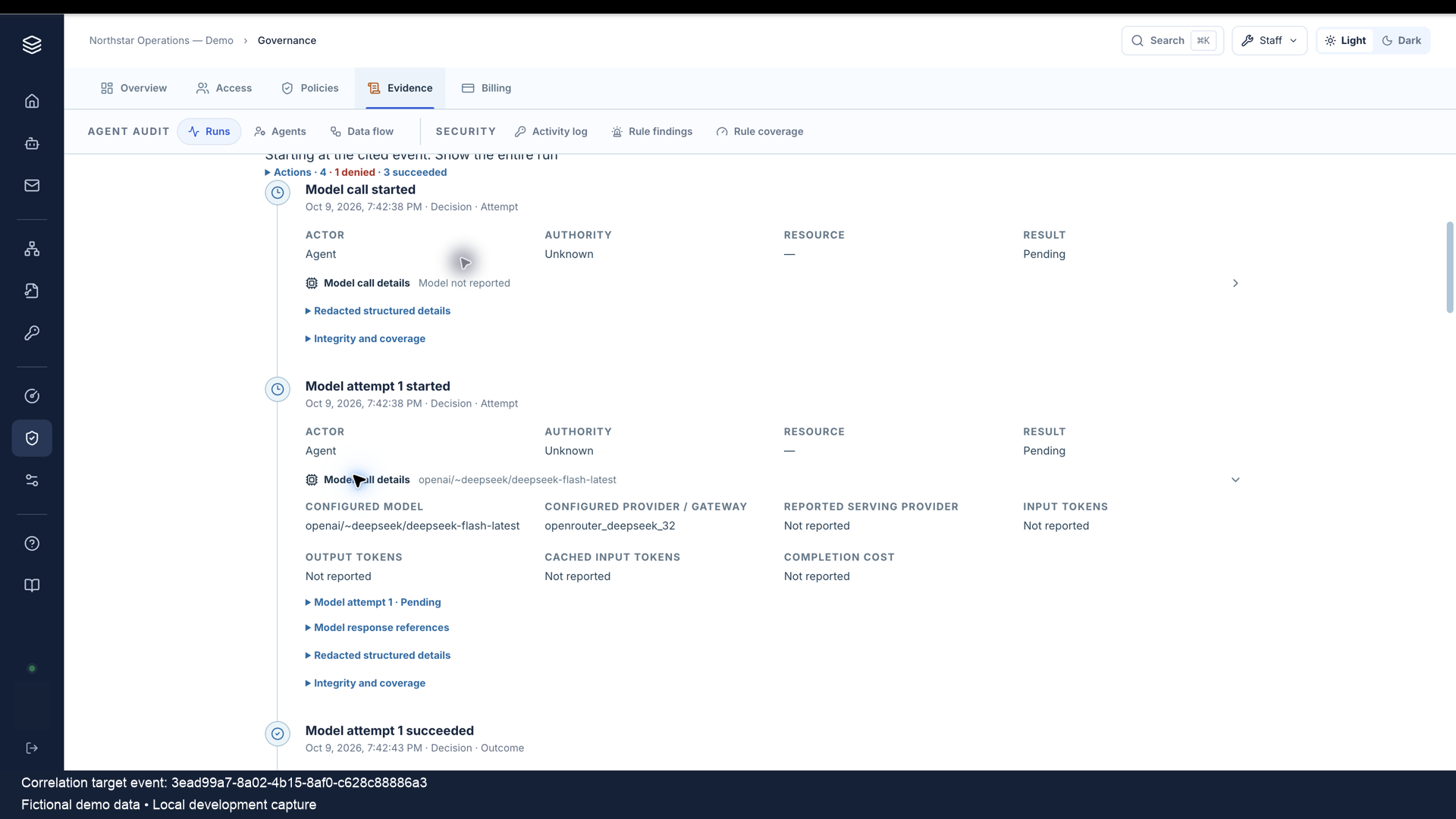
The demo starts with the policy decision and Denied email outcome. It follows the recorded Why chain into the originating request and model timeline, then opens the full run and its Failed status. The request text was not captured, and the records cannot establish the model’s motive. Unknown authority and Pending attempt-start metadata are distinct from a final Unknown action. “Complete” recorded-event coverage does not prove that every input or downstream effect was captured.

Observed example / October 9, 2026

A policy denied an email send.

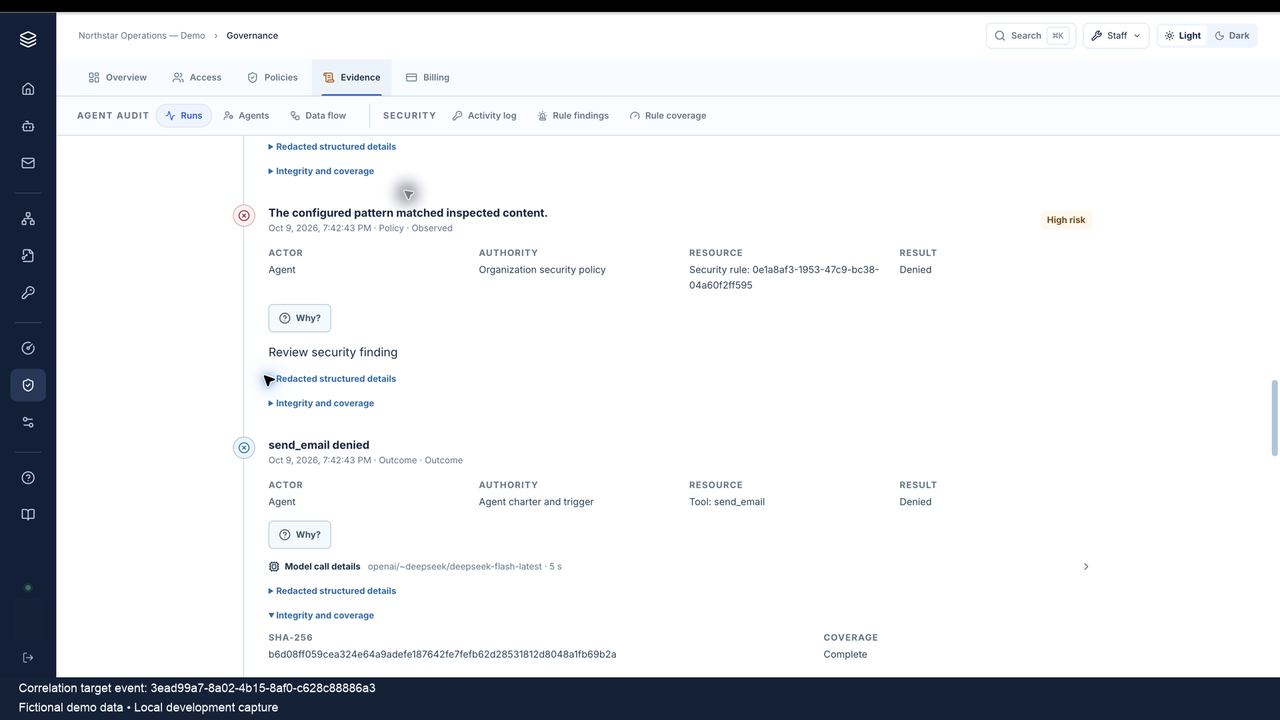
In this local development example, Rowan tried to send an email containing a fictional test marker. A published rule blocked the send before dispatch. The timeline keeps the policy decision and denied outcome as separate records. This attempt produced no approval or email delivery.

Audit timeline showing a policy decision and send_email outcome both Denied, with the event hash and coverage label.
Fictional demo data · Actual local development UI, October 9, 2026. “Complete” describes recorded event coverage. The request text was not captured, so the records cannot establish why the model chose this action. This is one denied send in the deployment shown.View policy and outcome at full resolution

Outcome. The send was Denied and its run was Failed. The run’s overall status and an individual action’s result describe different records.

Missing evidence. The original request was linked, but its text was not kept. The records cannot establish why the model chose the action.

Coverage. The label does not prove that all request content, downstream effects, or activity before recording began was captured.

03 / Action lifecycle

An attempt is the beginning of the record.

For covered tool calls classified as material, and model requests made by Organization agents, the platform must save the attempt and Prepared action before execution. The deployment’s action classification, active recording coverage, recording services on the required version, and supported execution paths determine which calls this rule covers. A read-only task may continue after a recording failure, with a visible capture gap.

Prepared
The attempt has been saved before the covered action can proceed.
Awaiting Approval
A supported action configured for review is waiting for a human decision. It has not been dispatched.
Dispatched
The action reached the execution point the platform records. Completion needs a separate result.
Succeeded
The platform recorded a successful result. Check the receiving system separately when you need proof of delivery or business completion.
Failed
The platform recorded a failure. Inspect the error and boundary before deciding what to do next.
Denied
The action was refused. Inspect the policy or decision record and whether any earlier dispatch occurred.
Cancelled
The action was cancelled. This does not undo a remote effect already admitted or dispatched.
Unknown
A reliable final result is missing. Recovery checks saved records and does not repeat the action.

Authority, approval, and execution are distinct. Human approval applies to supported operations configured for review. To show an exact-call approval in the audit trail, the deployment must support recording that approval and its original request. Older actions are not assigned approval origins that were never captured.

Dispatch and completion are distinct. Queued browser or tool work has not finished. A provider accepting a request does not prove recipient delivery. An uncertain remote write must not be automatically repeated. Later evidence may resolve its recorded state.

04 / Context and coverage

Review the context around the action.

Agent profiles bring together identity, governance, recorded runs, configuration changes, and observed data flow. Available history can remain reviewable after an agent moves or is deleted. Current settings and historical records answer different questions.

Configuration at a point in time

Supported changes show who made the change, when, where, and the before/after details. Instruction text is separate protected evidence if captured. A profile export includes current settings when the file is generated, alongside selected history. It does not reconstruct the settings from an earlier date.

Recorded services and recipients

Organization data flow groups recorded connections across workspaces, including history for moved or deleted agents, with links to audit events. It excludes URL paths and queries, credentials, message bodies, filenames, and file contents. It does not prove end-to-end content flow, current connectivity, or what a model relied on.

Visible coverage limits

Check when recording began, how long records are kept, which execution paths are covered, and any open gaps. History rebuilt from other records can be partial. Browser subrequests and work hidden inside a provider can fall outside observation. Missing records do not prove that no activity occurred. Enabling capture cannot recreate earlier content.
05 / Evidence access

Handle metadata and protected evidence separately.

Audit metadata describes an event, such as its actor, time, operation, and result. Ordinary records leave out designated content and redact recognized sensitive fields. Optional full-evidence capture adds supported inputs and outputs, encrypted at rest and still subject to redaction. It is off by default and applies to new activity. It does not capture every prompt or private model reasoning trace.

View and reveal

Access follows the evidence.

Owner, Admin, Security Admin, Agent Admin, and Auditor can view runs in enabled Organizations. They may reveal eligible captured evidence if it has not expired, full capture is still enabled, and they provide a reason. Audit access does not grant chat, settings, or credential access.

Policy and retention

Availability changes over time.

Owner, Admin, and Security Admin manage audit policy. Metadata and protected evidence are kept for separate periods. Shortening evidence retention can delete content at once. Increasing it cannot restore missing content or extend the life of evidence already captured. Reveals, policy changes, export requests, and downloads have separate access records.

Export permissions

Reveal and export differ.

Owner, Security Admin, and Auditor can export permitted redacted records. Admin and Agent Admin exports also depend on policy. Only an Owner may export full evidence, with capture enabled and eligible content still available. Other eligible audit roles may reveal that evidence under the access rules above.

06 / Portable review

Take the scope with the evidence.

Export permitted run, event, and action records with their recording scope and start date. A manifest lists the files and their checksums so a reviewer can check for changes. Profile exports can add current settings and configuration history. Organization data-flow packages contain metadata only. Choose the package that fits the investigation.

Packages with a defined scope

Exports run in the background and require a reason. The platform checks permissions when creating the file and when it is downloaded. Dedicated investigation packages require separate deployment support; confirm availability for your release. Downloads expire. Removing access cannot recall copies already downloaded.

Check consistency within the application

Application controls prevent normal edits to audit records. Event IDs, run sequence numbers, and SHA-256 hashes help you compare records. Package checksums detect file changes. These checks do not independently notarize records, prove complete history, or prevent a privileged database administrator from rewriting data.

Next step

Walk through one agent investigation.

Bring a workflow and the questions your reviewers need to answer. We’ll review the available records, required deployment setup, evidence policy, and checks still needed.